
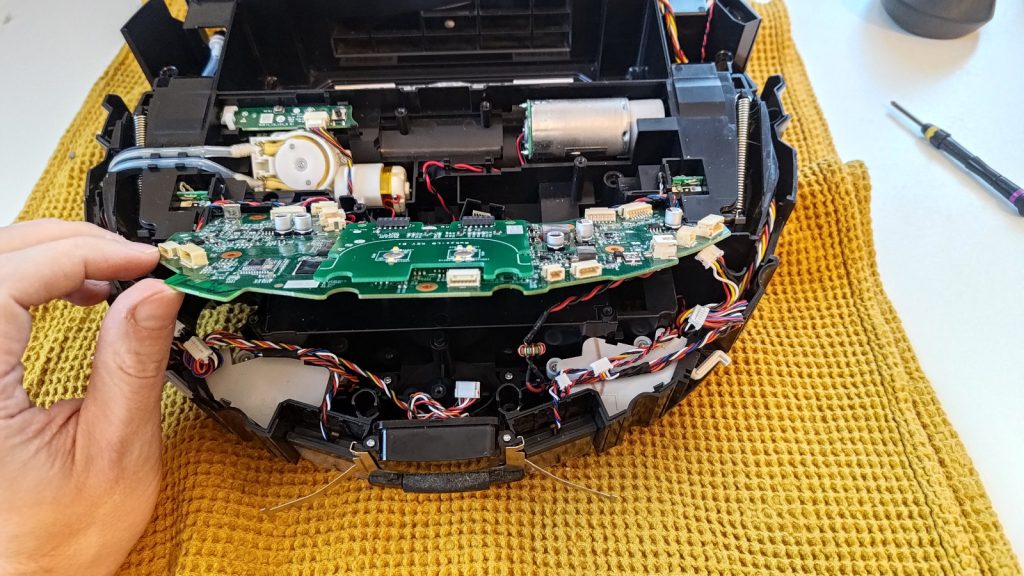
I semi-recently bought a used Roborock S5 Max robot vacuum, and installed Valetudo on it. The installation process involves rooting the robot, and gaining SSH access to it. Which got me thinking, could I get the robot to ping Healthchecks.io at regular intervals? When the robot runs into a problem (closes a door after itself, gets stuck, chokes on a loose wire) and cannot return to the base, it eventually shuts down. It would be nice to find out about that via a notification, not by eventually noticing the floors are extra dirty.
The rooted S5 Max runs a stripped down Linux system. It has curl installed. It does not appear to be running cron. The kernel uses armv7l architecture.
[root@rockrobo ~]# curl --version
curl 7.35.0 (arm-unknown-linux-gnueabihf) libcurl/7.35.0 OpenSSL/1.0.2v zlib/1.2.8 libidn/1.28 librtmp/2.3
Protocols: dict file ftp ftps gopher http https imap imaps ldap ldaps pop3 pop3s rtmp rtsp smtp smtps telnet tftp
Features: AsynchDNS GSS-Negotiate IDN IPv6 Largefile NTLM NTLM_WB SSL libz TLS-SRP
[root@rockrobo ~]# ps | grep cron
22184 root      2268 S    grep cron
[root@rockrobo ~]# uname -a
Linux rockrobo 3.4.39 #1 SMP PREEMPT Mon Nov 14 16:25:56 CST 2022 armv7l GNU/Linux
Thinking about my options, I remembered about runitor and its “-every ” flag. Normally, runitor sends a “start” signal to Healthchecks, runs the supplied command, then sends a “success” or “fail” signal to Healthchecks and terminates. With the “-every” flag, it stays running indefinitely and runs the same command at the specified interval. It can be used as a simple periodic task runner.
I copied the arm build of runitor to the robot vacuum’s /mnt/data/ directory and tested if it works:
[root@rockrobo data]# ./runitor -uuid 6ee4425b-7811-4acd-989f-dd6a6c592ba4 -- uptime
 07:01:51 up  6:37,  load average: 1.25, 1.16, 1.14
And, sure enough, the “start” and “success” signals popped up on Healthchecks:

Now the only thing left to figure out was: how to start runitor automatically when the robot vacuum boots up? Previously, I had played around with roborock-oucher – a program that makes the robot vacuum play a custom sound every time it bumps into an obstacle. oucher’s README lists several ways to run a program on startup. I found that for my specific robot model, the solution number 3 works. I created a script /mnt/data/run-runitor.sh with the following contents:
#!/bin/sh

start-stop-daemon -S -b -x /mnt/data/runitor -- -every 5m -uuid 6ee4425b-7811-4acd-989f-dd6a6c592ba4 -- uptime
And I added a line in /mnt/reserve/_root.sh:
if [[ -f /mnt/data/run-runitor.sh ]]; then /mnt/data/run-runitor.sh; fiNote: if you do something similar, double- and triple-check everything when making changes to /mnt/reserve/_root.sh. A bad edit could brick your robot.
And that was that! The robot now checks in every 5 minutes. The one extra process running on it does not seem to affect its normal operation. This was a fun little thing to set up. For other unconventional uses of Healthchecks.io, I have previously written about:
- Monitoring the Ingress Sojourner medal (works for any “do a task every day for a year” challenge)
- Making HTTP requests with Arduino
- Monitoring network routers
Happy tinkering,
–Pēteris