
Healthchecks.io can now classify HTTP pings from clients as start, success, or failure signals not only by URL suffixes (no suffix, /start, /fail, /{exit-status}) but also by looking for specific keywords or phrases in the HTTP request body. The content filtering feature was already available for email pings, and now it has been extended to HTTP pings as well.
You can configure the keywords in each check’s details page, “Filtering Rules” dialog:
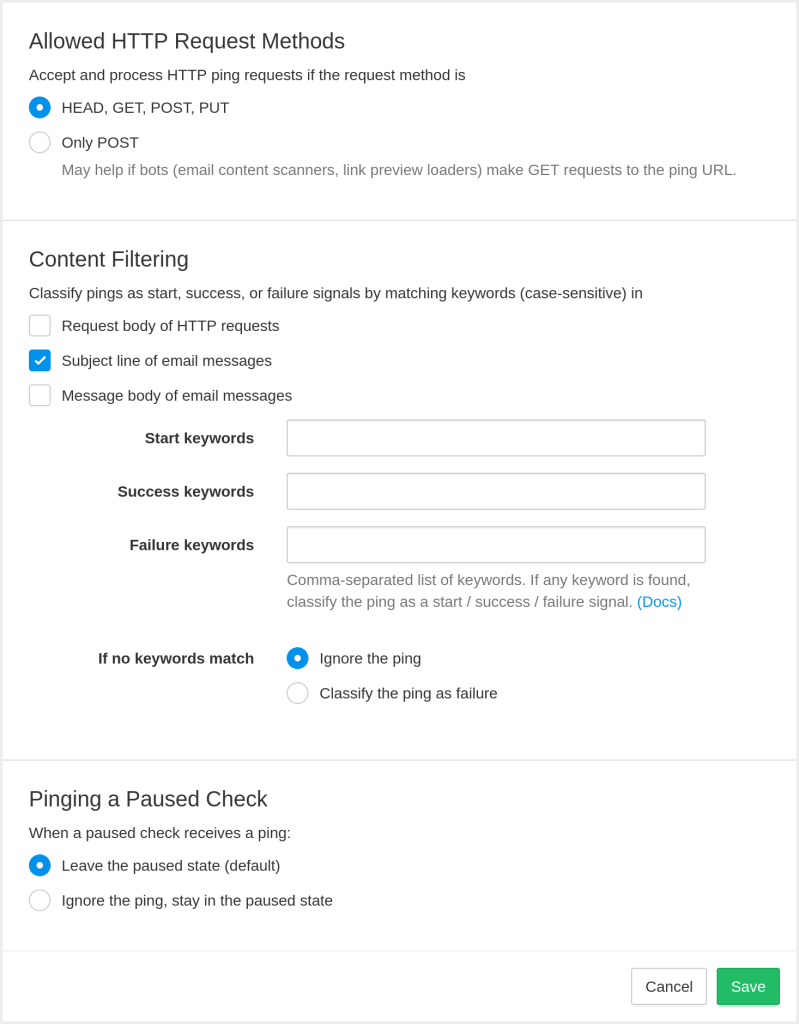
You can also configure the filtering rules via the API: see the new filter_http_body and filter_default_fail parameters for the Create Check and Update an Existing Check API calls.
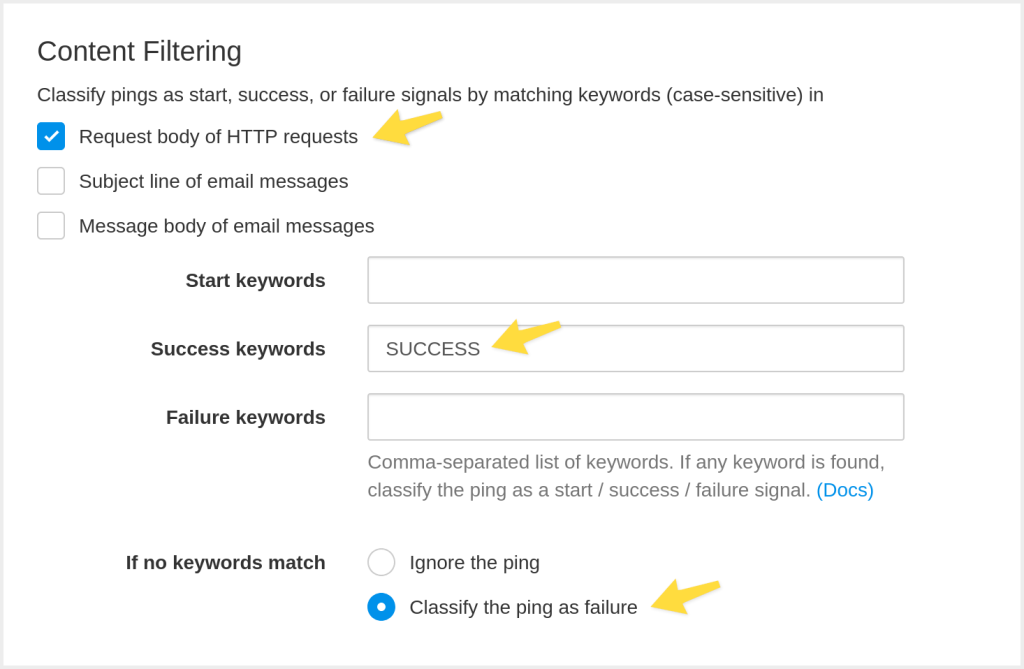
The second new addition in the “Filtering Rules” dialog is the “If no keywords match” option. It lets you specify how Healthchecks.io should handle pings where no configured keywords match. The default is to ignore such pings (they will still show up in the event log with an “Ignored” label, but they will not affect the check’s status). And the other option is to classify such pings as failure signals. You can, for example, have a configuration that classifies requests with the string “SUCCESS” in the request body as success signals and all other requests as failure signals:
The Nitty Gritty Details
Healthchecks.io stores only the first 100 kB of each ping request’s body. If keyword filtering is active, it also only looks for the keywords in the first 100 kB of the request body. If a client sends a larger request, and the matching keywords are at the end, Healthchecks.io will not see them.
You can specify multiple keywords in each keyword input field by separating them with commas. This means the keywords themselves must not contain commas. If you specify multiple keywords, Healthchecks.io will check whether any of them match (not if all of them match).
The keyword matching is case-sensitive. “error”, “Error”, and “ERROR” are three different keywords.
You can use phrases with spaces in the keywords fields (for example, Backup successful), but be careful with spaces as whitespace matters. You cannot use multi-line strings in the keywords fields.
Healthchecks.io applies filtering rules in a specific order, stopping at the first step that matches:
- The “Pinging a Paused Check” setting: If a check is paused and is configured to ignore pings while paused, Healthchecks.io will ignore the ping.
- The “Allowed HTTP Request Methods” setting: If a check is configured to only accept HTTP POST requests, and the HTTP request is not a POST request, Healthchecks.io will ignore the ping.
- The failure keywords. If any are found in the first 100 kB of the request body, Healthchecks.io will classify the ping as a failure signal.
- The success keywords. If any are found in the first 100 kB of the request body, Healthchecks.io will classify the ping as a success signal.
- The start keywords. If any are found in the first 100 kB of the request body, Healthchecks.io will classify the ping as a start signal.
- If keyword filtering is enabled for HTTP requests, but no keywords match, Healthchecks.io will either ignore the ping or classify it as a failure signal, depending on the If no keywords match configuration option.
- URL suffix. Finally, Healthchecks.io will classify the ping as success, start, or failure signal based on the URL suffix (no suffix, /start, /fail, or /{exit-status}).
When is this Useful?
Filtering by keywords can help if you are monitoring a system that sends webhook requests to a single URL, but with varying payloads. To monitor such a system, previously you would have needed an extra component (a Lambda function, a microservice, …) that inspects the webhook’s payload and calls the appropriate Healthchecks.io ping URL. With the keyword filtering feature, the extra component may no longer be necessary.
The “If no keywords match, classify the ping as failure” option is useful when you know for certain that a success ping will contain a specific keyword in the request body, but you do not know all the different error responses that could be returned in case of an error.
Happy monitoring,
–Pēteris